role
Team
1 Designer
timeline
1 month
Service
UX Design
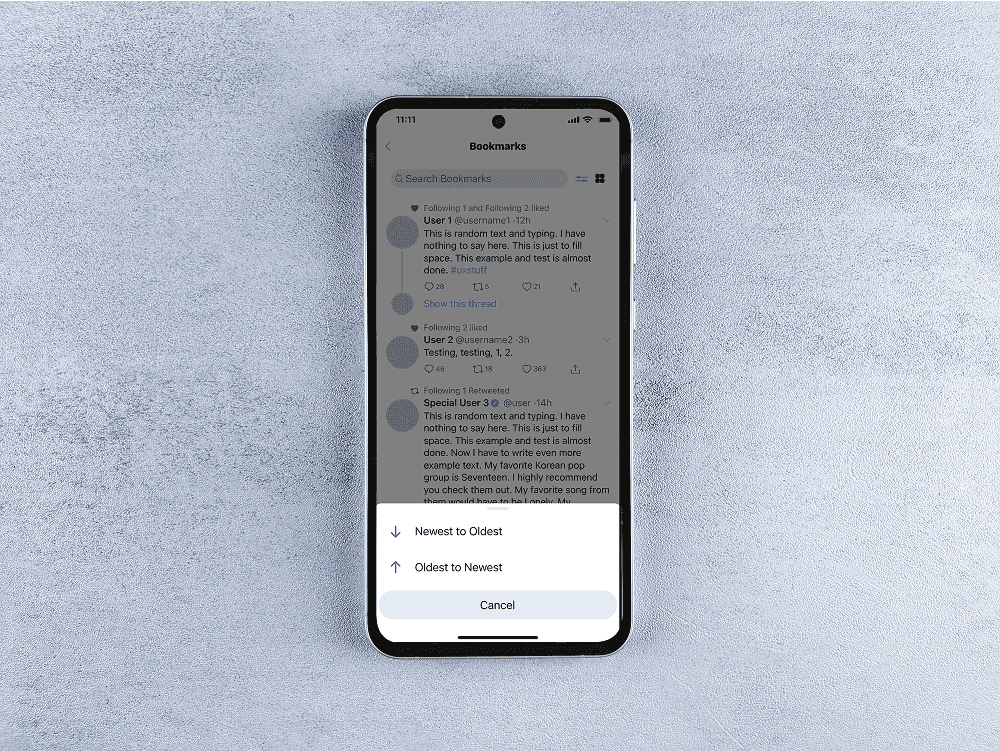
Overview
Twitter has evolved into a multifaceted platform used for everything from news to fandom interaction.
However, as expansive as that seems, it lacks development in the finer details that make the entire user experience feel connected. My redesign aims to improve user engagement and create an intuitive experience for users wanting to save and revisit tweets.
problem
Twitter's Bookmark feature lacks organization and efficiency, leading to user frustration when attempting to revisit tweets.
When users want to revisit saved tweets, they want to be able to quickly find them so they can gain a connection to themselves or other users. But, they can’t do that well because:
There are multiple ways to save a tweet (i.e. bookmarks, likes, and retweets)
New tweets pile on top of old ones
Too much information is available at once, overwhelming users
solution
In order to simplify the task of using the Bookmarks page, tweets need to be sortable and searchable.
Through user research and competitive analysis, I implemented a search bar, time-based sorting, and customizable folders to increase efficiency.


design method
I expanded and refined my ideas using the Double Diamond method.
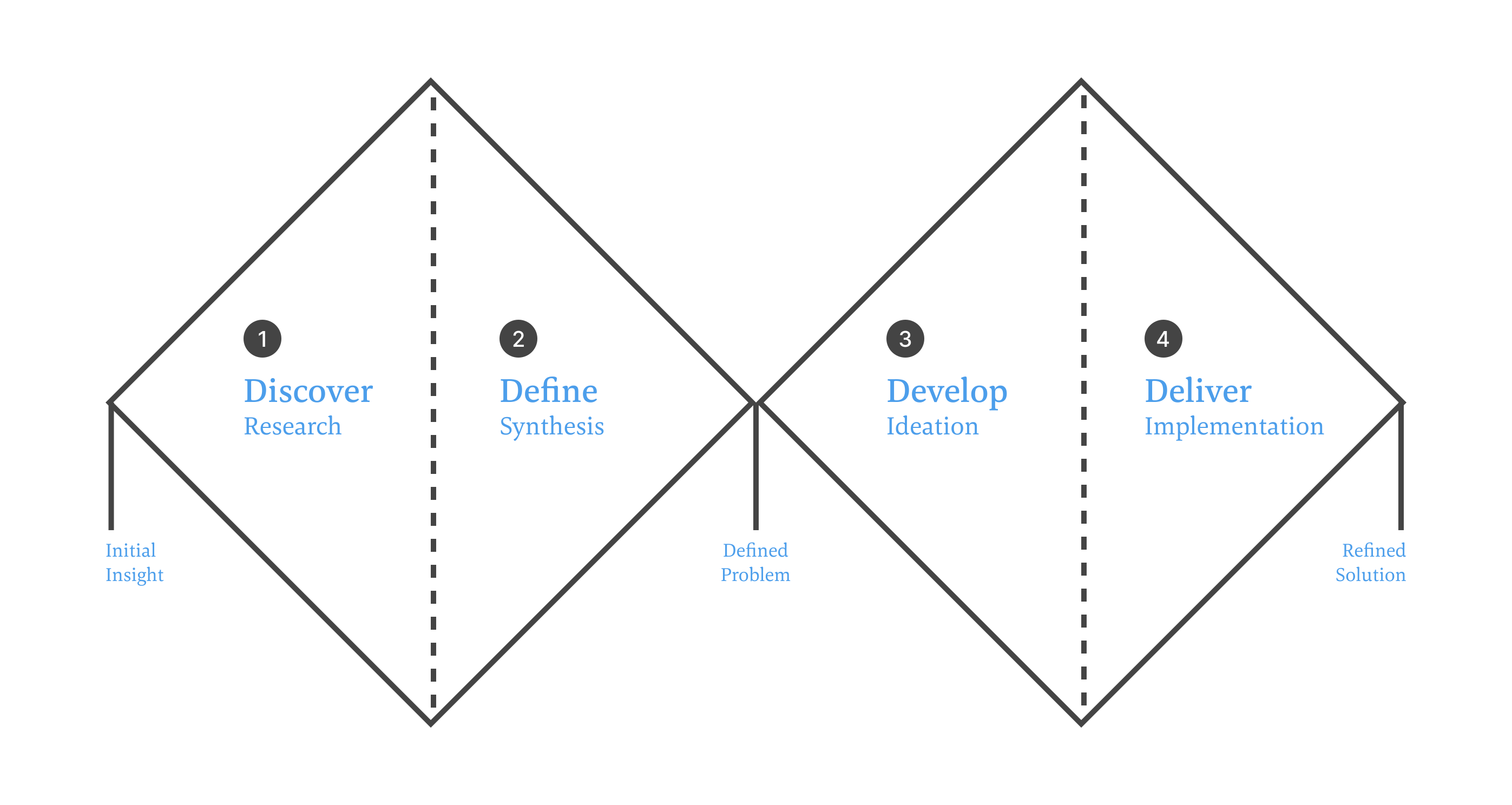
I followed the Double Diamond design model which involves four main stages: Discover, Define, Develop, and Deliver. This process offered me more creative freedom and allowed me to refine my ideas and designs through iterative loops.
pain points
Prominent pain points often related to information overload.
Based on interviews, users noted:
Flows felt repetitive and one directional
They wanted Twitter to feel as efficient as possible
Features should include escape routes built for user error
ideation
Using key insights, I developed solutions based on competitive optimization tools.
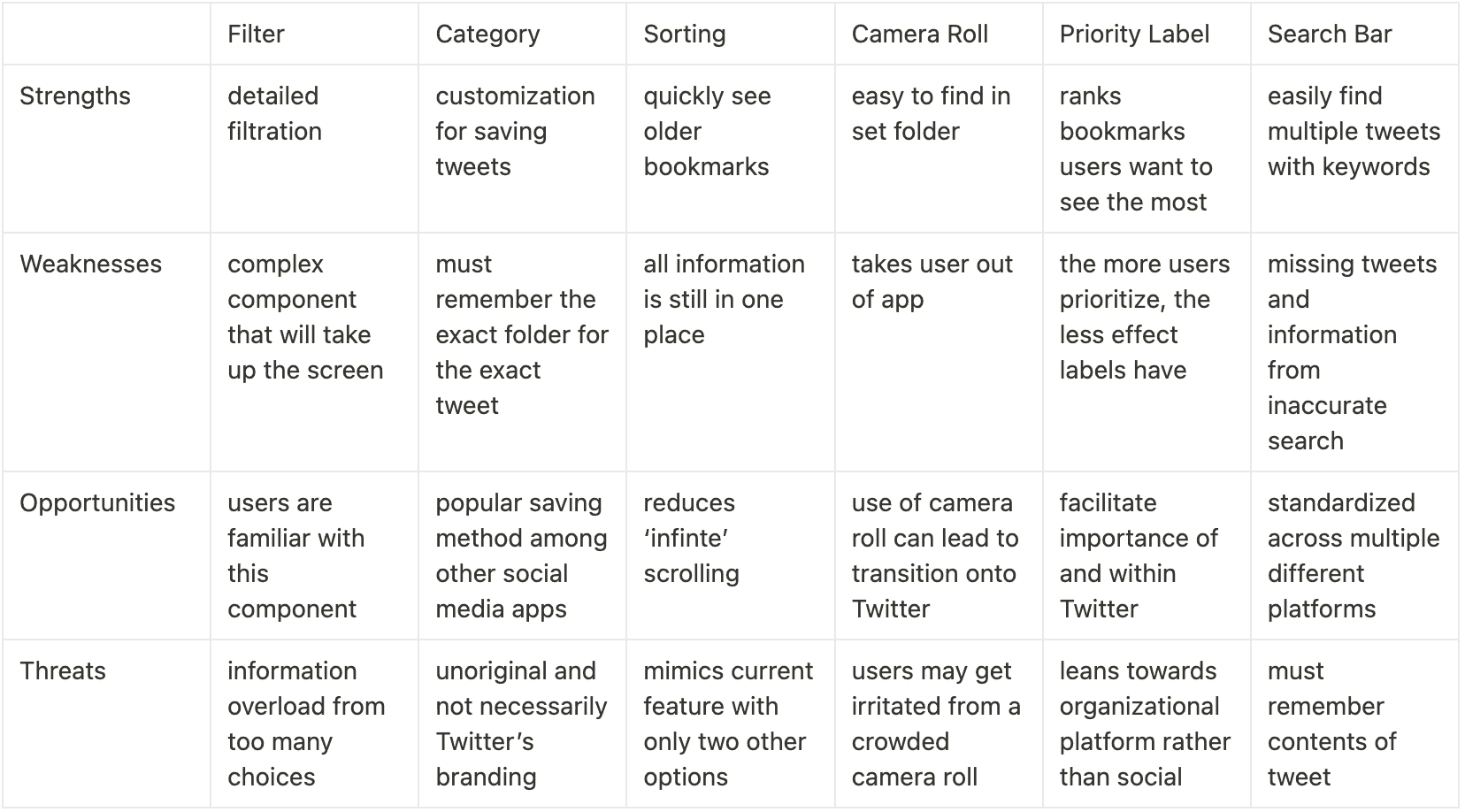
Taking research and market analysis into consideration, I iterated on 6 different solutions of optimization. These included:
Filtering based on date, likes, and views
Custom categories
Time-based sorting
Saving tweets to the camera roll
Priority labeling
Search bar
feedback
After heuristic testing, my redesign needed to change in 3 ways.
Slow and Repetitive
The category iteration felt repetitive and slow when adding new tweets to the bookmarks section.
Multi-Solution Answer
Solutions should be combined in order to be utilized to the best of their ability while keeping the integrity of the Twitter branding and experience.
Information Overload
The filter gives the user too much choice in regards to which bookmarks they want to see, leading to Information overload.
hi-fi prototype
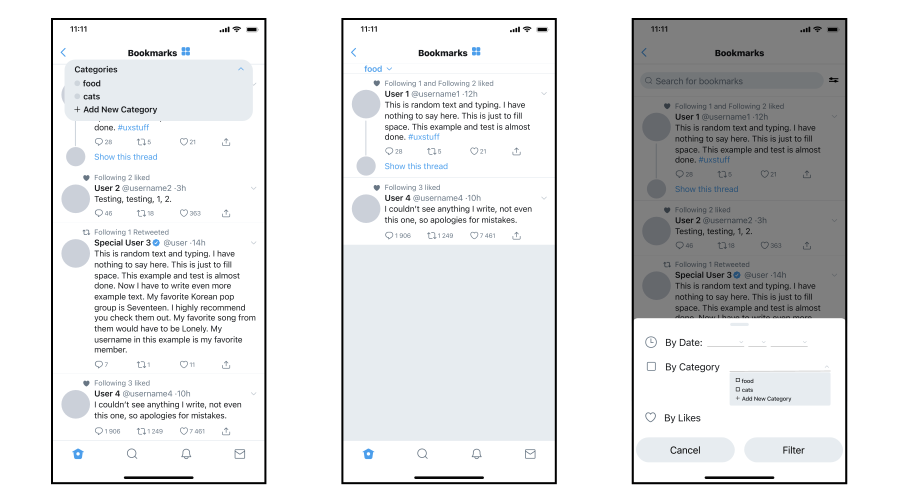
The final redesign utilizes search, filtration, and categorization to provide users multiple pathways towards saved tweets.
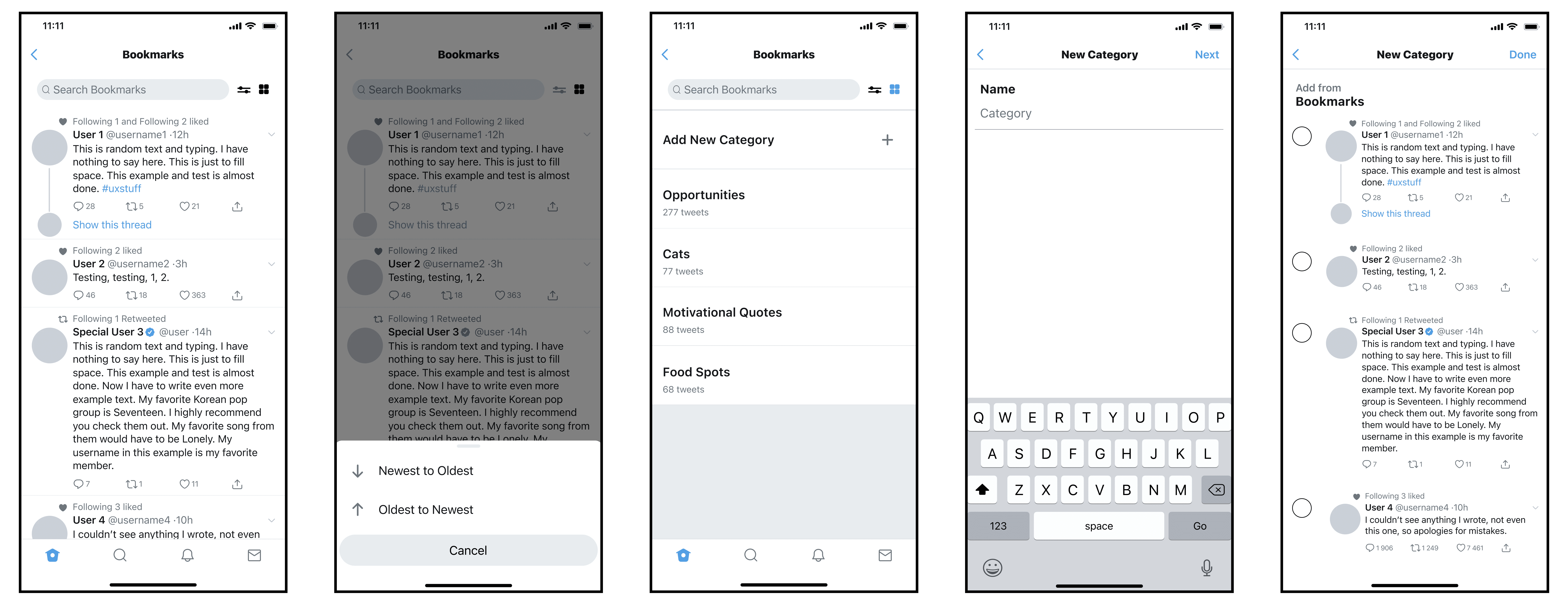
Offering users a personalized approach to finding and viewing saved tweets gives the best possible user experience, allowing for as broad or as narrow of a search as they want.
key takeaways
User testing is the foundation of good design, so always build around the needs of the users.
Through this case study, I conducted user research and went through the full Double Diamond design process. To improve upon this case study, I would dive into the user research process more, to see if my solutions are really hitting user’s pain points. Overall, the new feature allows for Twitter to be used more effectively when saving tweets for later.